
SharePoint employee directory
A free employee directory for SharePoint, built live from Entra ID
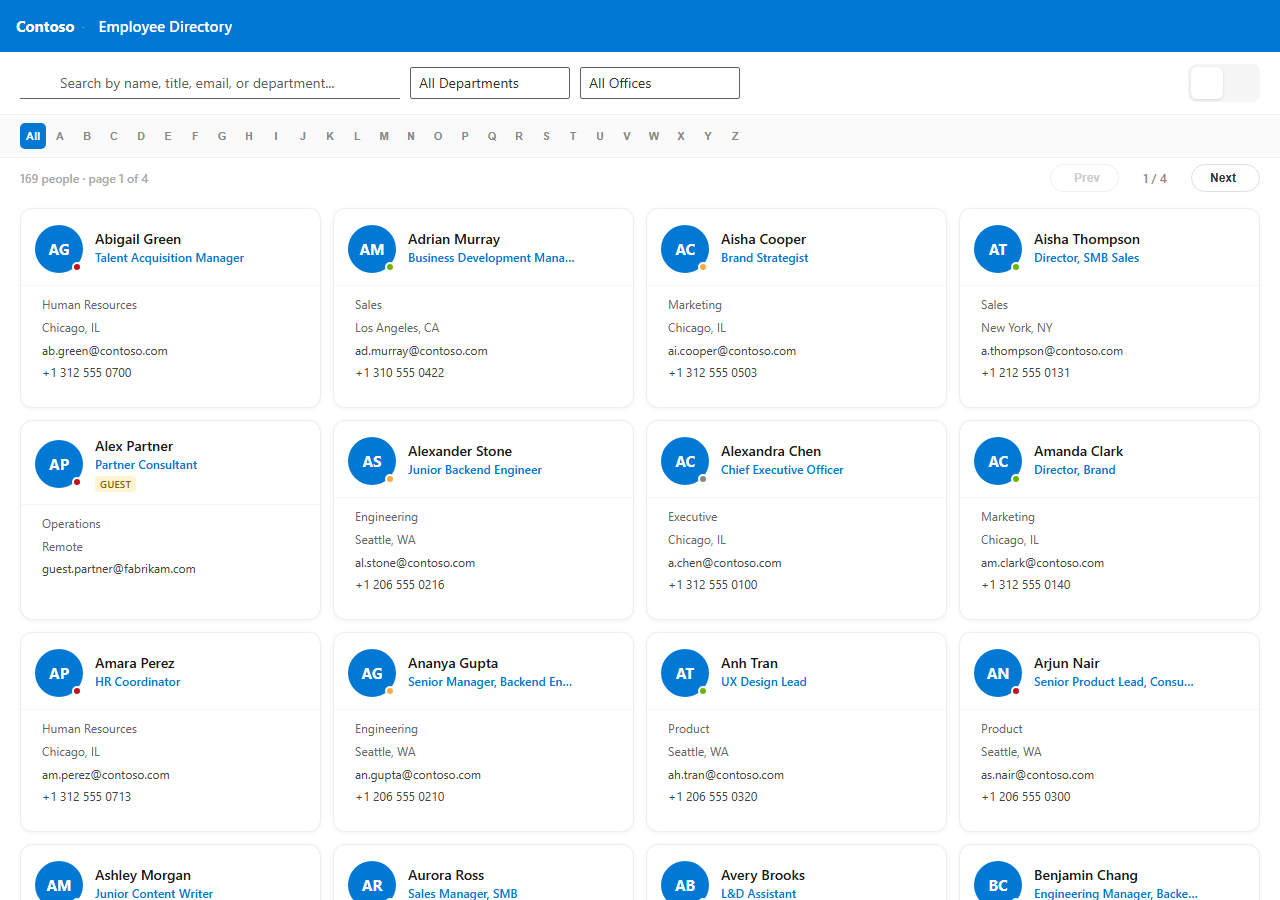
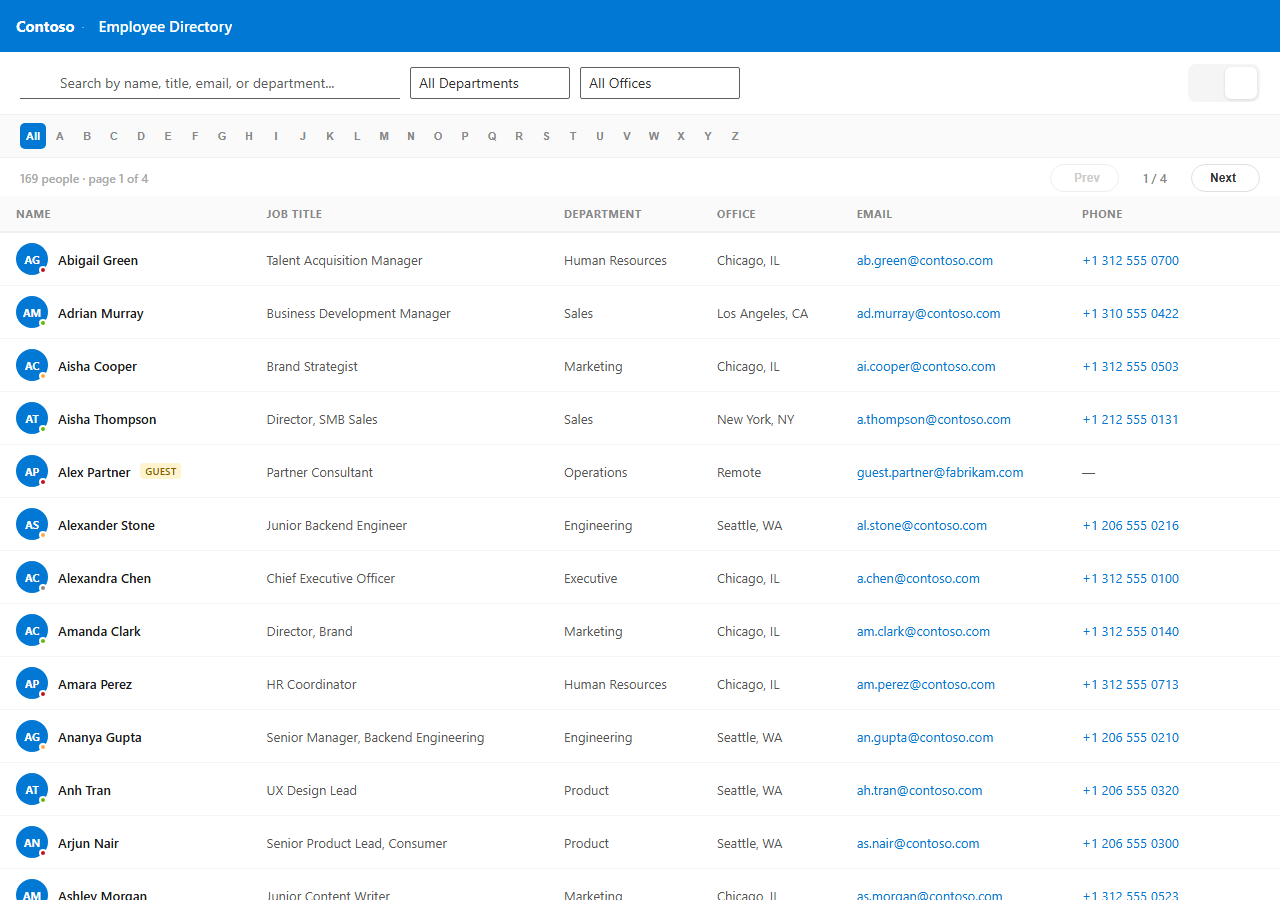
Modern SharePoint has no company-wide staff directory. Smart Org Chart adds one: search everyone in your organization, filter by letter, department, or office, and switch to the org chart with one click.
Try it
Live tour: org chart and employee directory
Interactive demo with sample data. The real web part reads your own tenant.
Avery Brooks
Chief Executive Officer · Boston
Carmen Diaz
VP Operations · Boston
Daniel Kim
VP Engineering · Seattle
Elena Novak
Finance Manager · Boston
Farah Malik
Facilities Lead · Chicago
Grant Hughes
Senior Developer · Seattle
Hana Sato
QA Engineer · Remote
What the directory does
Live search as you type
Search by name, title, department, or email. Results update instantly and combine with every other filter.
Card grid or list view
Small, medium, or large cards with photos, or a compact sortable list for scanning large directories.
A–Z, department and office filters
Click a letter to narrow by first or last name, then combine it with department and office dropdowns.
Teams presence and chat
Live presence on every card, and a one-click Teams chat launcher on every row in list view.
External users, manually or by CSV
Add contractors, consultants, and board members who have no Entra ID account — one at a time or in bulk from a CSV file. They appear in the directory and org chart like everyone else.
30 interface languages
Follows each user's Microsoft 365 display language, with English fallback. Directory data is shown as stored.
Runs in your tenant
An SPFx web part reading Microsoft Graph. No vendor cloud, no extra licensing, MIT license.
Why not the built-in options?
- The People web part shows only people you add by hand, so it drifts out of date.
- SharePoint search results are not a browsable directory with letter, department, and office filters.
- Search-based directories usually need custom templates to look and work like a directory.
- Smart Org Chart reads Entra ID live, so the directory stays current with no upkeep.
Employee directory FAQ
Get your first result in about 10 minutes
Download SharePoint Smart Org Chart, follow the step-by-step install guide, and run it against a real site the same afternoon. Nothing to license, nothing to renew.
- Download the .sppkg package from the latest release.
- Upload it to your tenant App Catalog.
- Add the web part to a SharePoint page.
Email me when a new release ships
No marketing spam. One short email when a new release ships. You can unsubscribe anytime.
The SharePoint org chart guides
Understand what SharePoint ships with, build a live chart from Microsoft 365 data, then compare the options.
Understand
Build
Step-by-step install and configuration with screenshots, in about 10 minutes.
30 interface languages, picked automatically from each user's Microsoft 365 language.
Contractors, consultants and board members without Entra ID accounts — added manually or by CSV import.
Theming, department filters, card fields and directory view.
When the built-in People web part is enough, and when you need a live directory.
Which to use for a SharePoint employee directory, and when PnP search is the better fit.
The free, MIT-licensed SPFx web part: live Graph data, Teams presence, PDF/PNG/Excel export.
Compare
Why the People and Organization web parts fall short of a real reporting hierarchy.
Free and paid options side by side, with pricing and licensing.
Live charts without a Visio license or a manual redraw every reorg.