
Export a SharePoint Gantt chart to PowerPoint (free)
Rolling this out to more teams?
Let our team set up project tracking in SharePoint
We design your project sites, lists, and Power Automate workflows, then train your team so project tracking actually sticks.
Most SharePoint project tracking dies at the reporting step. The plan lives on a page, the steering committee lives in PowerPoint, and someone spends twenty minutes a fortnight cropping screenshots to bridge the gap.
Smart Gantt Chart removes that step: the export menu turns your project into a PowerPoint deck, Excel workbook, task CSV, milestone iCal file, print/PDF output, or high-resolution PNG.
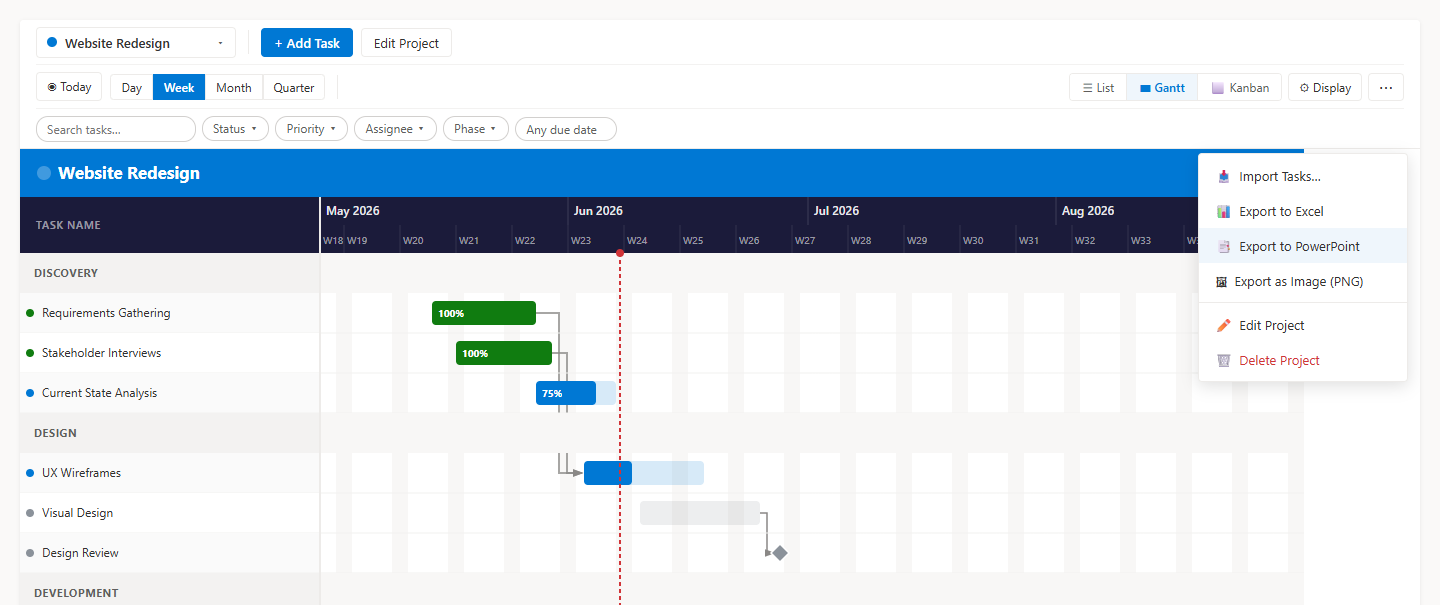
Exports always cover the whole project
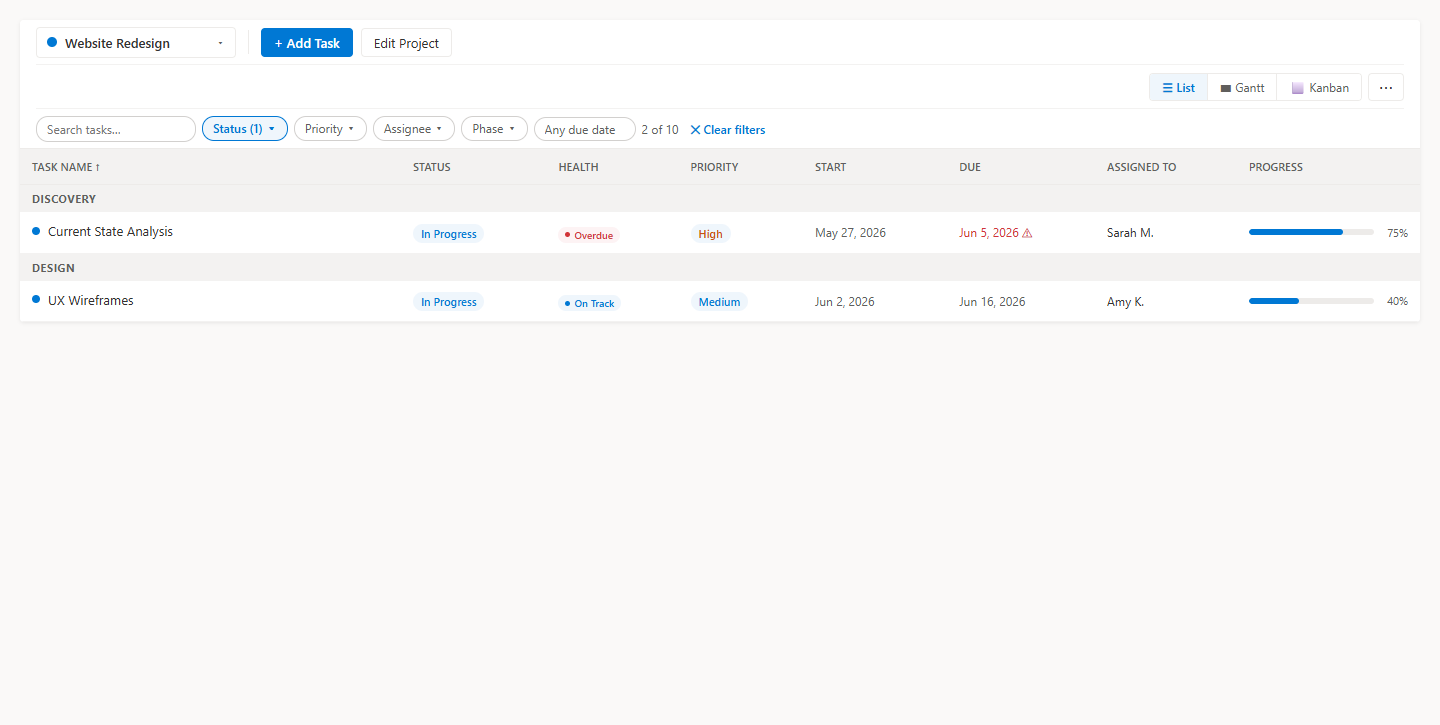
Worth knowing before you present: an export includes every task in the project and ignores whatever filters are applied on screen. Filters are there to help you work; they do not shape the deck. If a stakeholder should only see one workstream, keep that workstream as its own project.
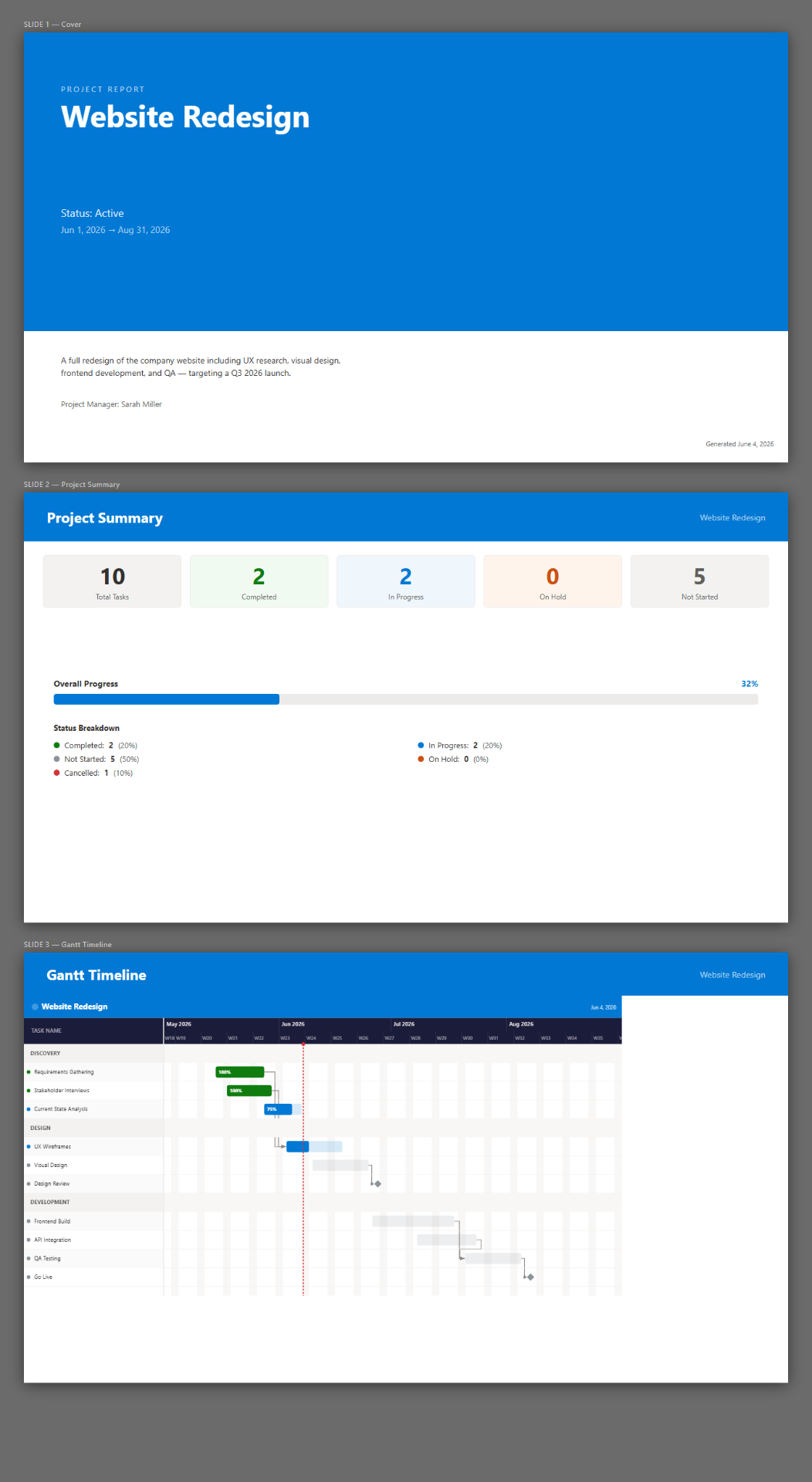
The PowerPoint output
The PowerPoint export is a four-slide deck: a cover, a project summary, an image of the Gantt timeline, and recent activity. Present it as-is or paste the slides into your standing status deck.
Excel, CSV, iCal, PDF and PNG
Excel provides the task table with every field, CSV provides a portable task export, and milestone iCal can be imported into Outlook or another calendar. Print / Save as PDF creates a document from the Gantt, while PNG produces a 2x-resolution image of the full timeline. There is no Microsoft Project (.mpp) export.
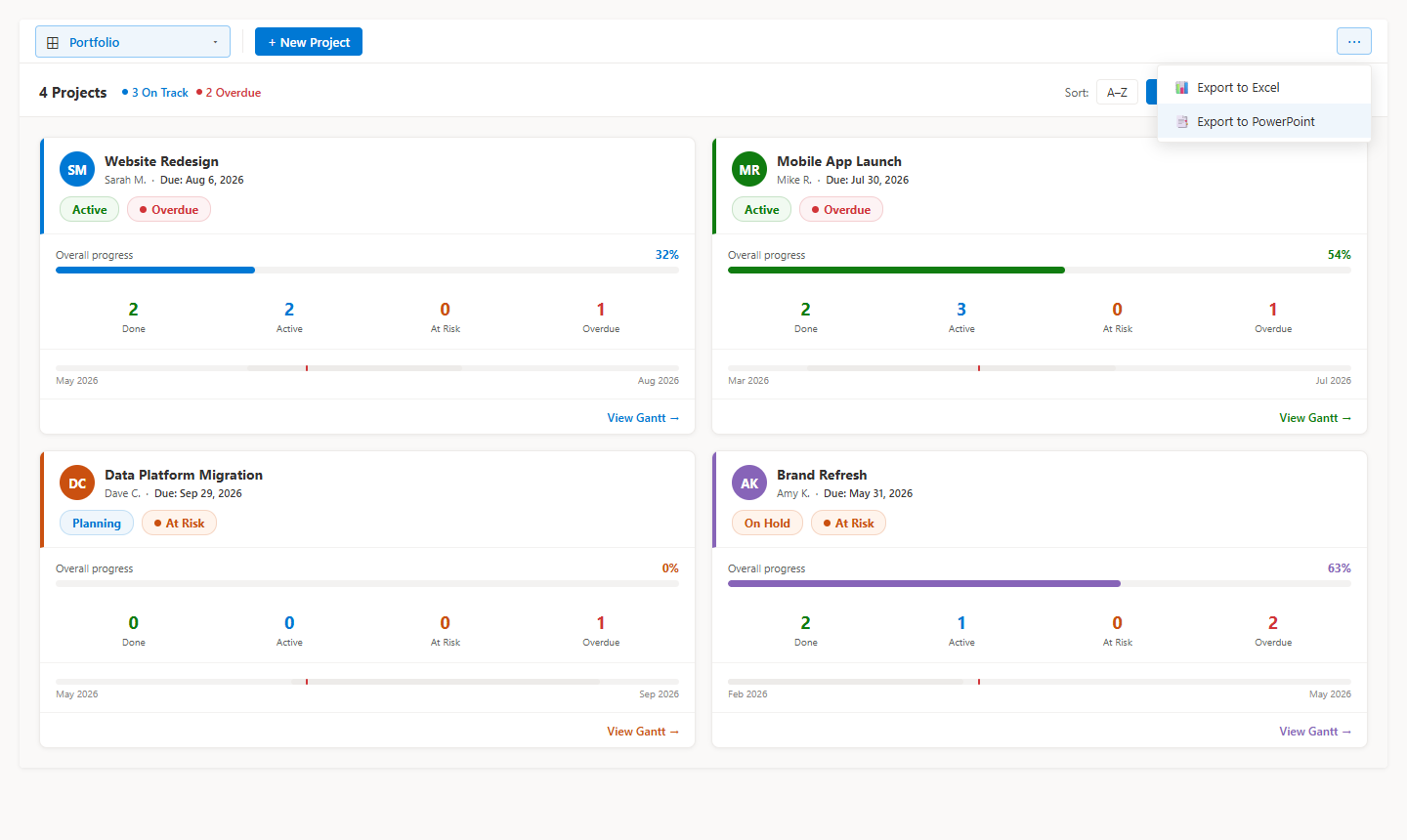
Reporting across several projects
For a portfolio review, the Portfolio view shows each project as a card with its status, automatic health, progress and a mini timeline — the right level for a program conversation, rather than one combined timeline. Portfolio view can export its summary to PowerPoint, Excel, or CSV.
Related
Frequently asked questions
What is in the PowerPoint export?
Four slides: a cover, a project summary, an image of the Gantt timeline, and recent activity.
Can I export just one workstream?
No. Exports always include every task in the project and ignore whatever filters are applied on screen. Filters are for working on screen, not for shaping the export.
What formats are supported?
For one project: PowerPoint, Excel, task CSV, milestone iCal, print/PDF, and PNG at 2x resolution. Portfolio view exports PowerPoint, Excel, and CSV. There is no Microsoft Project (.mpp) export.
Does exporting send data outside my tenant?
No. The web part runs inside SharePoint and generates the file in the browser; nothing is sent to an external service.
Is there a license cost?
No. Smart Gantt Chart is free and MIT licensed.
The SharePoint project management guides
Build the plan, run it week to week, then share it with the people who only ever see the summary.
Build the plan
Start a project, add tasks with dates, and get a timeline on a SharePoint page.
Bring a task list, Excel sheet or Microsoft Planner board in through the import wizard.
Group work into phases and mark the dates that people actually care about.
The SharePoint lists the web part creates, who needs which permission, and what that means for governance.
Export a proven plan to Excel, reset the dates, and start every similar project from it.
Two ways to give a long task list structure, and the roll-up behavior to plan around.
Run the project
A 20-minute routine straight from the SharePoint page, ending with a one-click deck.
On Track, At Risk, Overdue or Done, derived from dates and progress instead of typed in.
Assign tasks, filter by assignee, and find the person carrying too much of the plan.
Cut a 400-task timeline down to the slice you need for a single conversation.
Retire completed work without losing the record, and recover a project deleted by mistake.
The Portfolio view: a status card per project with automatic health and a mini timeline.
Save the agreed dates, then see each task's finish variance in working days.
How simultaneous edits are protected, and the quick edits that save instantly.
Share and compare
What clients and contractors can do in the plan, and the two things an internal owner handles.
Where Calendar and Board views stop, and when dependencies and baselines make a Gantt worth it.
Smart Gantt Chart against Microsoft Project, Planner, Smartsheet, Monday and the rest.
The full picture of running projects from SharePoint, in one page.
The free, open-source Gantt web part that runs inside your own tenant.
Was this page helpful?
One click. No form, no email address.
Missing something in SharePoint Smart Gantt Chart? Feature requests and bug reports go straight to the developer on GitHub — no account needed to read, free account to post.
Request a featureRelated tool
SharePoint Smart Gantt Chart
Gantt + Kanban + list view, backed by a SharePoint list. Free, MIT licensed, no sign-up.
Keep reading
Run a Weekly Project Status Meeting From SharePoint
Most status meetings are spent rebuilding the status. If the plan lives in SharePoint, the meeting can start with the answers already on screen.
Reuse a SharePoint Project Plan as a Template
Every onboarding, every migration, every site rollout runs the same twenty tasks. Here is how to stop retyping them in SharePoint.
Archiving and Deleting Finished SharePoint Projects
Finished projects clutter the portfolio and skew every rollup. Archiving keeps the record without the noise — and a deleted project is recoverable for 93 days.
Rolling this out to more teams?
Let our team set up project tracking in SharePoint
We design your project sites, lists, and Power Automate workflows, then train your team so project tracking actually sticks.
About the author
Sean Regan
SharePoint & Microsoft 365 consultant with 20+ years of hands-on experience building SPFx web parts, migration tooling and tenant-grade automation. Maintainer of the open-source SharePoint Smart Solutions suite.